
Daylio Journal - Mood Tracker
HabiticsLifestyle
4.724.71K Reviews
- Version
- 1.69.2
- Installs
- 10.00M
- Age Rating
- Everyone
Screenshots

Our Review of Daylio Journal - Mood Tracker
 Analysis by Appyee
I find a mood tracker most useful when it fits into ordinary life rather than asking me to stop and write a polished account of it. Daylio Journal - Mood Tracker takes that low-effort approach: I can record how I feel and add context through activities, then look back for patterns. That makes it appealing if you want a small daily check-in, though it is not a replacement for a detailed diary or professional mental-health support.
Where connectivity enters the routine
A quick mood entry is the sort of thing I might make between errands, after a meeting, or at the end of a long day. The central interaction is brief, but anything involving backup or syncing brings connectivity into the picture. I would treat those as separate moments: logging is the habit-building part, while protecting or moving a record between devices is a task worth doing deliberately.
That distinction matters if you are choosing a tracker because you want a dependable personal record. Before changing phones or removing the app, check that any backup you rely on has completed and that you understand how you would restore it. A backup plan is only useful when it is current and accessible; I would not assume that a newly created entry has already been copied elsewhere.
A fit for brief check-ins, not every kind of journaling
The app’s activity-based approach suits someone who finds a blank page intimidating. Instead of composing several paragraphs, I can select a mood and attach a few relevant activities. That lowers the effort of keeping a streak of observations, especially on busy days when a long reflection would be easy to skip.
It is less suitable when the value of journaling comes from describing what happened in detail, exploring complicated feelings in your own words, or keeping a record that reads like a narrative. In that case, a notes app or a traditional diary gives you more room and fewer prompts. I would also avoid treating a mood chart as a diagnosis: it can help me notice patterns, but deciding what they mean takes context and, where needed, support from a qualified person.
How I would use it on a normal day
Imagine I have a tense morning, a decent lunch break, and a calmer evening after a walk. I could log each moment if I want finer detail, or make one consistent check-in at night and select the activities that best describe the day. The useful choice is not to record everything; it is to pick a routine I can keep. A short entry made regularly is easier to compare than an elaborate entry made only when something dramatic happens.
I would keep activity labels specific enough to be meaningful but broad enough to use repeatedly. If every entry uses a different label for essentially the same event, later comparisons become harder to interpret. Conversely, labels that are too general may conceal the difference between, say, a relaxing social visit and a stressful obligation. A small, stable vocabulary is a practical middle ground.
Reading patterns without overreading them
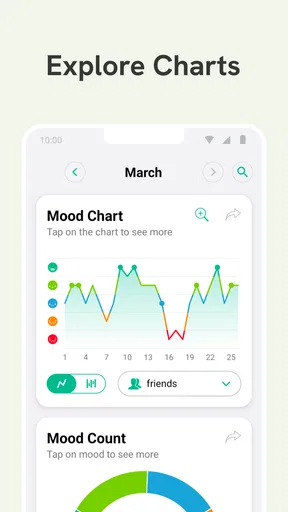
Charts become more informative as entries accumulate, but a visual association is not proof that one activity caused a mood. Sleep, workload, health, and other circumstances can overlap, and a tracker cannot capture every influence unless I choose to record it. I would use the summaries to form questions—such as whether certain routines tend to coincide with better days—rather than to make sweeping conclusions from a few entries.
This is also why consistency matters more than perfect detail. If I record only especially good or bad days, the picture may be skewed. A quick check-in at a predictable time can make the record more representative, while a short note in an activity label can preserve context when a day is unusual. That approach keeps the process manageable without pretending the charts explain everything.
Daylio is a lifestyle app from Habitics, and its reach suggests that this compact format works for many people: it has more than ten million installs and an average rating of 4.7 from around 450,000 ratings. It is free to download, rated for Everyone, and in-app purchases range from $0.99 to $59.99 per item. The release date is August 17, 2015, and the current version is 1.63.18, with Android 8.0 as the minimum operating system. Those details are useful context, but I would still judge the app by whether its routine feels comfortable to me.
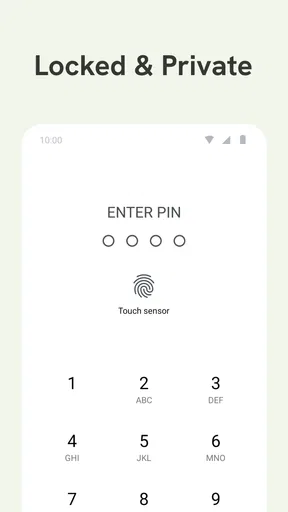
If privacy is a deciding factor, I would review the app’s current privacy and backup settings before entering anything highly sensitive. A lock can help prevent casual access to an app, but it is not the same thing as understanding where backups go or who can access an account used for syncing. For especially personal writing, I would keep entries concise and avoid putting details into any digital service until I am comfortable with its controls.
Compared with a paper diary, Daylio makes it easier to scan recurring moods and activities, while paper offers more freedom and no battery or network considerations. Compared with a general notes app, Daylio provides a structured way to tag feelings and review them, but notes are better for long-form reflection. I would choose based on the kind of record I actually want, rather than trying to make one tool serve every purpose.
What is Daylio Journal - Mood Tracker?
At its core, Daylio Journal - Mood Tracker is a nifty little app designed to help you record your daily moods and activities without the hassle of typing out long journal entries. It’s like having a pocket-sized therapist who’s always ready to listen and never judges. It’s perfect for those of us who love the idea of journaling but can’t quite commit to the traditional method.
Getting Started with Daylio
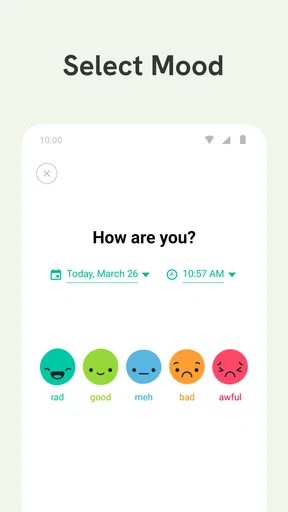
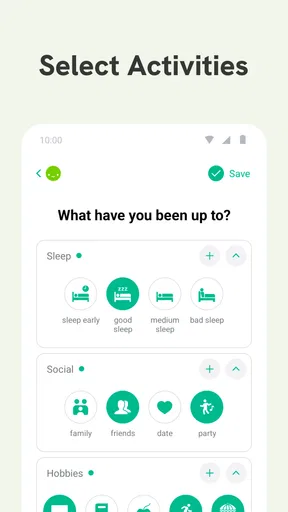
When you first dive into Daylio, you'll be greeted with a clean and intuitive interface that makes it super easy to start logging your feelings. No complicated tutorials needed here! You simply choose your mood from a selection of smiley faces ranging from rad to awful. Then, select from a list of activities like "work," "family time," or "exercise" to give context to your mood. The whole process takes less than a minute, making it easy to incorporate into your daily routine.
The Beauty of Customization
One of the standout features for me is the level of customization Daylio offers. You can tailor the mood descriptions, add new activities, and even tweak the color scheme to suit your personal taste. This makes the app feel uniquely yours, and I love that personal touch. It’s like dressing up a digital diary to match your personality.
Visualizing Your Mood Patterns
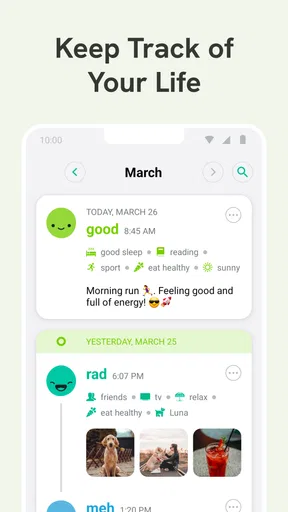
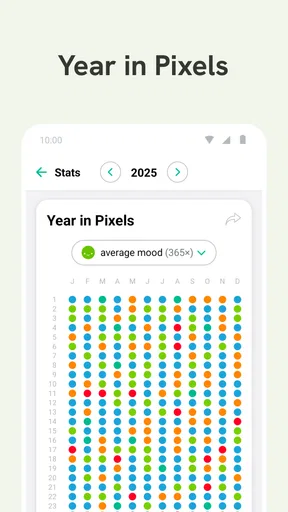
The real magic happens when you start accumulating data. Daylio transforms your entries into visually appealing charts and graphs, offering insights into your emotional patterns. This is where the app truly shines for me. It’s fascinating to see how my mood shifts over time and what activities influence those changes. It’s like having a personal mood detective on your phone!
Privacy and Security
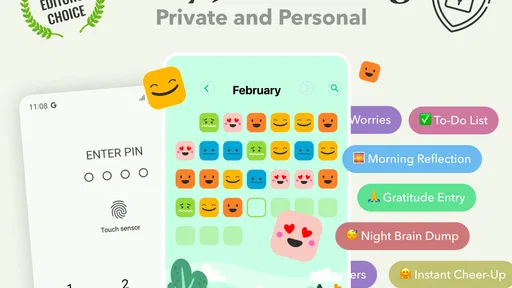
I know what you’re thinking: “Is my data safe?” Rest assured, Daylio takes your privacy seriously. You can lock the app with a PIN code, and all entries are stored locally on your device unless you choose to back them up. It’s comforting to know that your private thoughts won’t end up in the wrong hands.
Syncing and Backup Options
Daylio offers seamless backup options, including syncing with Google Drive. This means you won’t lose your precious mood data if you switch devices or accidentally delete the app. Plus, you can easily restore your data, keeping your journaling journey uninterrupted.
The Premium Experience
While the free version offers plenty, Daylio also has a premium option for those looking for a bit more. With premium, you get access to advanced statistics, unlimited mood tracking, and the ability to set goals for yourself. I found the premium features to be a nice addition, especially if you’re serious about tracking your emotional well-being.
Final Thoughts
Overall, Daylio Journal - Mood Tracker is a fantastic tool for anyone looking to gain insights into their emotional health without the commitment of traditional journaling. Its ease of use, customization options, and insightful analytics make it a standout in the mood tracking realm. Whether you’re a data geek or just someone who wants to understand themselves a little better, Daylio is worth checking out. Give it a whirl and see how it can help you become more mindful of your moods. Who knows? You might just discover something new about yourself!
Verdict
Strengths of Daylio Journal - Mood Tracker
- Customizable mood tracking options.
- Easy-to-use interface for quick entries.
- No account required for use.
- Privacy-focused with local data storage.
- Insightful mood analytics and charts.
Limitations of Daylio Journal - Mood Tracker
- Limited free version features.
- No real-time collaboration options.
- Export options are basic.
- No built-in community support.
- Can be overwhelming with too many entries.
Similar Picks in This Category
View All
SmartThings
Samsung Electronics Co., Ltd.4.6

Google Home
Google LLC4.0

Pinterest4.2

Astrotalk - Talk to Astrologer
Astrology & Horoscope4.7

My Verizon
Verizon Consumer Group4.5

Samsung Wallet (Samsung Pay)
Samsung Electronics Co., Ltd.4.1
Frequently Asked Questions
What is Daylio Journal, and how does it work?
Daylio Journal is a mood tracking app that allows users to record their daily emotions and activities without the need for extensive writing. By selecting mood icons and activities, users can effortlessly track their feelings over time. The app then generates insightful statistics and graphs, helping users identify patterns and triggers in their mood swings.
Is Daylio Journal suitable for mental health tracking?
Yes, Daylio Journal is designed with mental health tracking in mind. It provides a simple interface to monitor moods and activities, making it a valuable tool for anyone looking to gain insights into their emotional well-being. However, it's important to note that it should complement professional mental health advice, not replace it.
Can I customize the mood and activity options in Daylio Journal?
Absolutely! Daylio Journal allows users to customize mood icons and activity lists to better match their personal experiences and lifestyle. This flexibility ensures that the app remains relevant and useful, allowing for a more personalized and accurate tracking experience tailored to individual needs.
Does Daylio Journal offer data privacy and security?
Yes, Daylio Journal prioritizes user privacy and data security. The app allows users to protect their journal with a PIN code and stores data locally on the device. Additionally, users can back up their data securely to cloud services like Google Drive, ensuring their information remains private and accessible only to them.
Is Daylio Journal available for free, or does it require a subscription?
Daylio Journal offers a free version with basic features, providing users with essential mood tracking tools. For those interested in more advanced features, such as detailed statistics, unlimited moods, and reminders, the app offers a premium subscription. This subscription enhances the app experience with additional functionalities.
